
Role-specific details
Ask screening questions tied to requirements, availability, and experience.
HiringCat gives healthcare teams structured CV screening, assessment questions, reviewer permissions, and interview scheduling for sensitive hiring workflows.
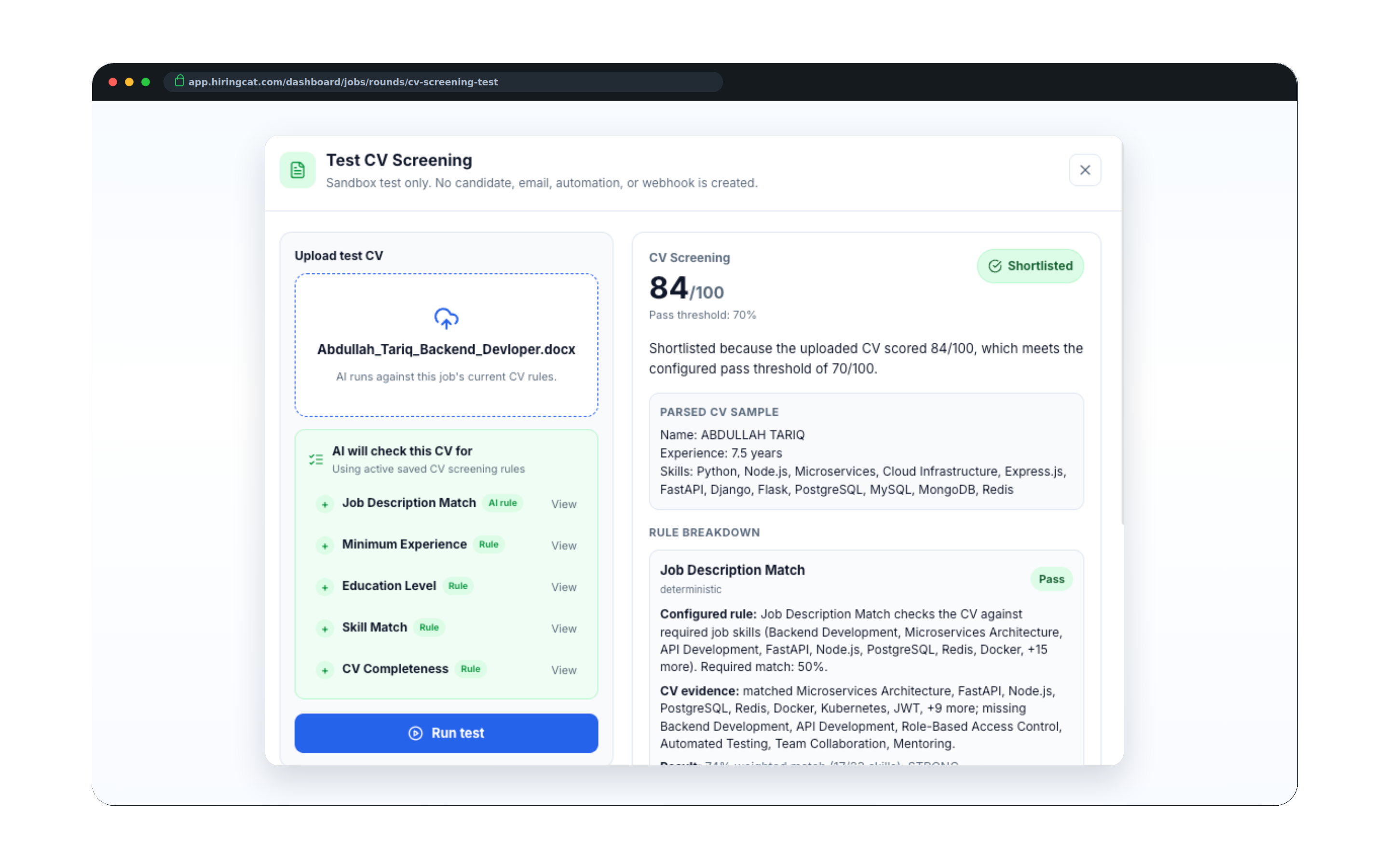
Clinical, admin, and support roles often require specific qualifications, availability, and careful reviewer control.
Ask screening questions tied to requirements, availability, and experience.

Keep clinical, admin, and support candidates organized by job and stage.

Limit access to the right reviewers and protect sensitive workspace settings.
Keep applicant information, screening context, and interview progress in one place.
Create the job workflow with must-have criteria, screening questions, and review stages.
HiringCat explains why applicants fit or miss requirements before the team schedules time.
Assign reviewers, schedule interviews, and track activity from the same workspace.
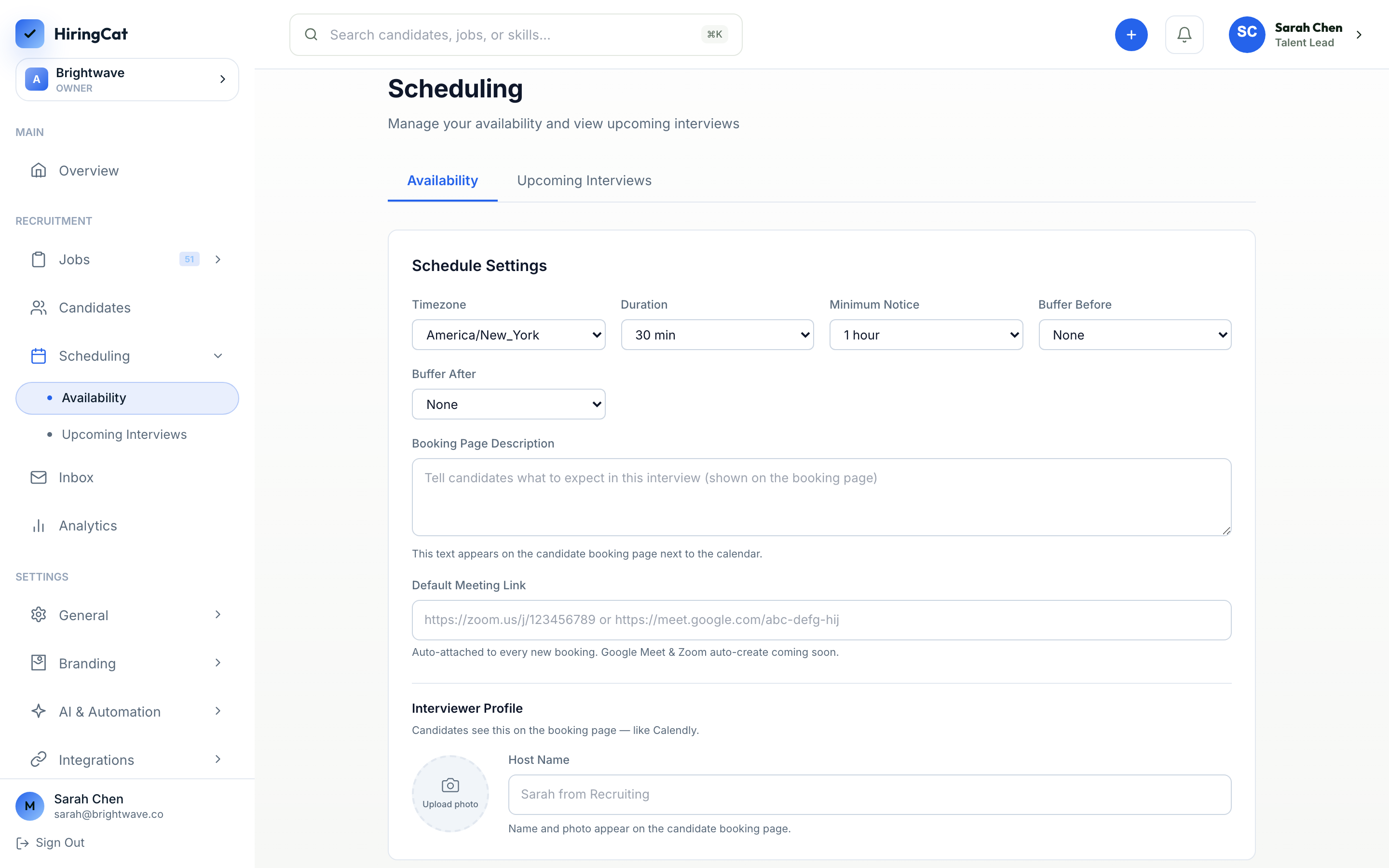
HiringCat helps healthcare operators structure candidate review without making claims about credentials or compliance decisions.
Collect required experience, availability, certifications, and role-specific answers before interview.
Keep clinical, admin, and support applicants separated by role and review status.
Give managers the right access while protecting workspace settings and sensitive hiring actions.
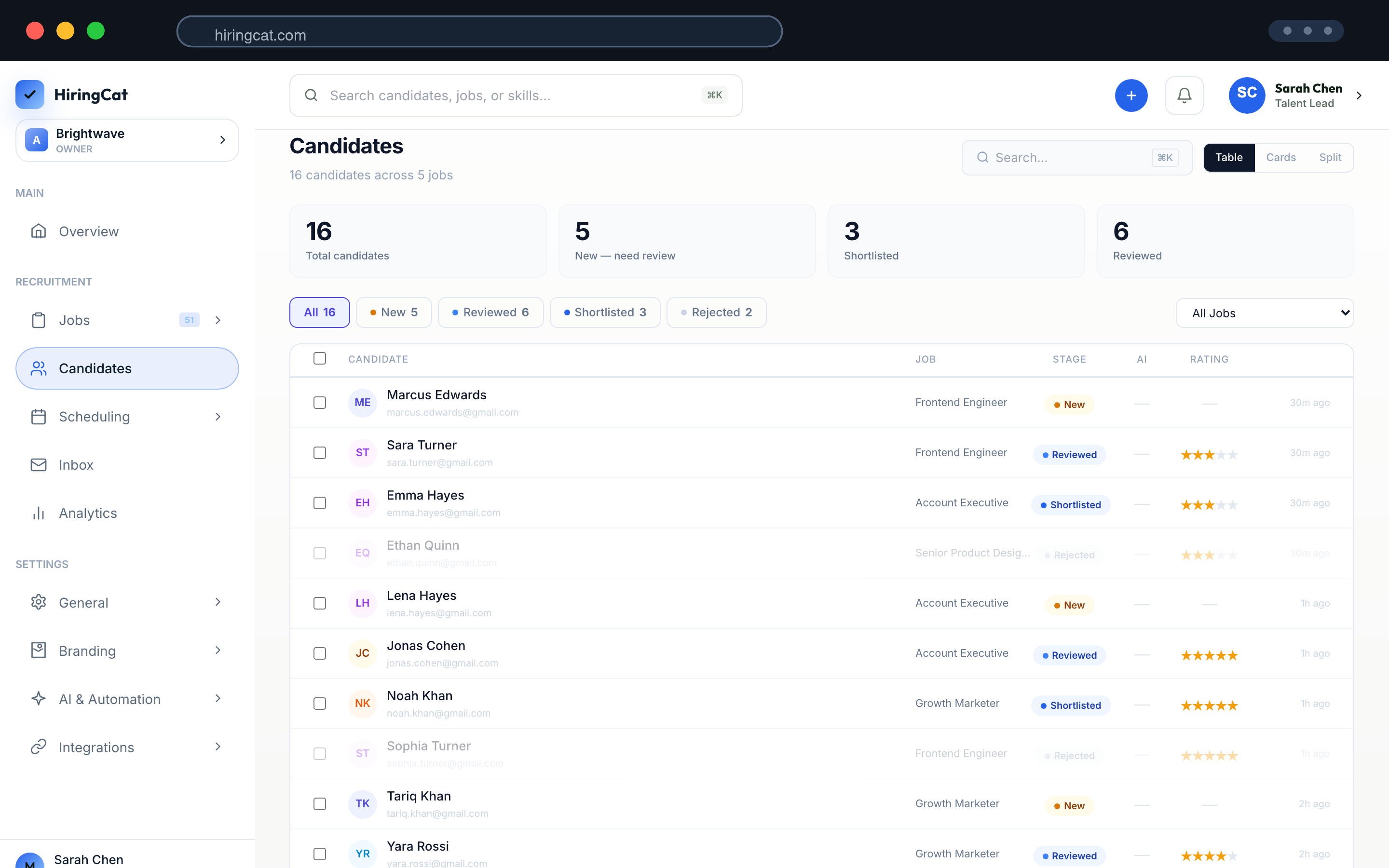
Healthcare teams need clear context for why a candidate moved forward or stayed in review.
Keep answers, CV scoring, and notes attached to each candidate.
Make it clear who needs to review or take the next action.
Use team permissions to prevent unwanted changes to jobs, domains, and settings.
Structured screening, scheduling, and permissions keep sensitive hiring workflows organized.
Yes. Each job can have its own screening questions, criteria, and workflow stages.
Yes. Team permissions control who can view, edit, and manage hiring actions.
No. HiringCat helps organize screening context. Your team remains responsible for verification and final decisions.
Use HiringCat to keep role criteria, applicants, and reviews in one workflow.