
Shared access is risky
Give each teammate their own access instead of sharing owner credentials.
HiringCat team permissions help owners control jobs, candidates, settings, billing, and activity logs while managers and reviewers do their work.
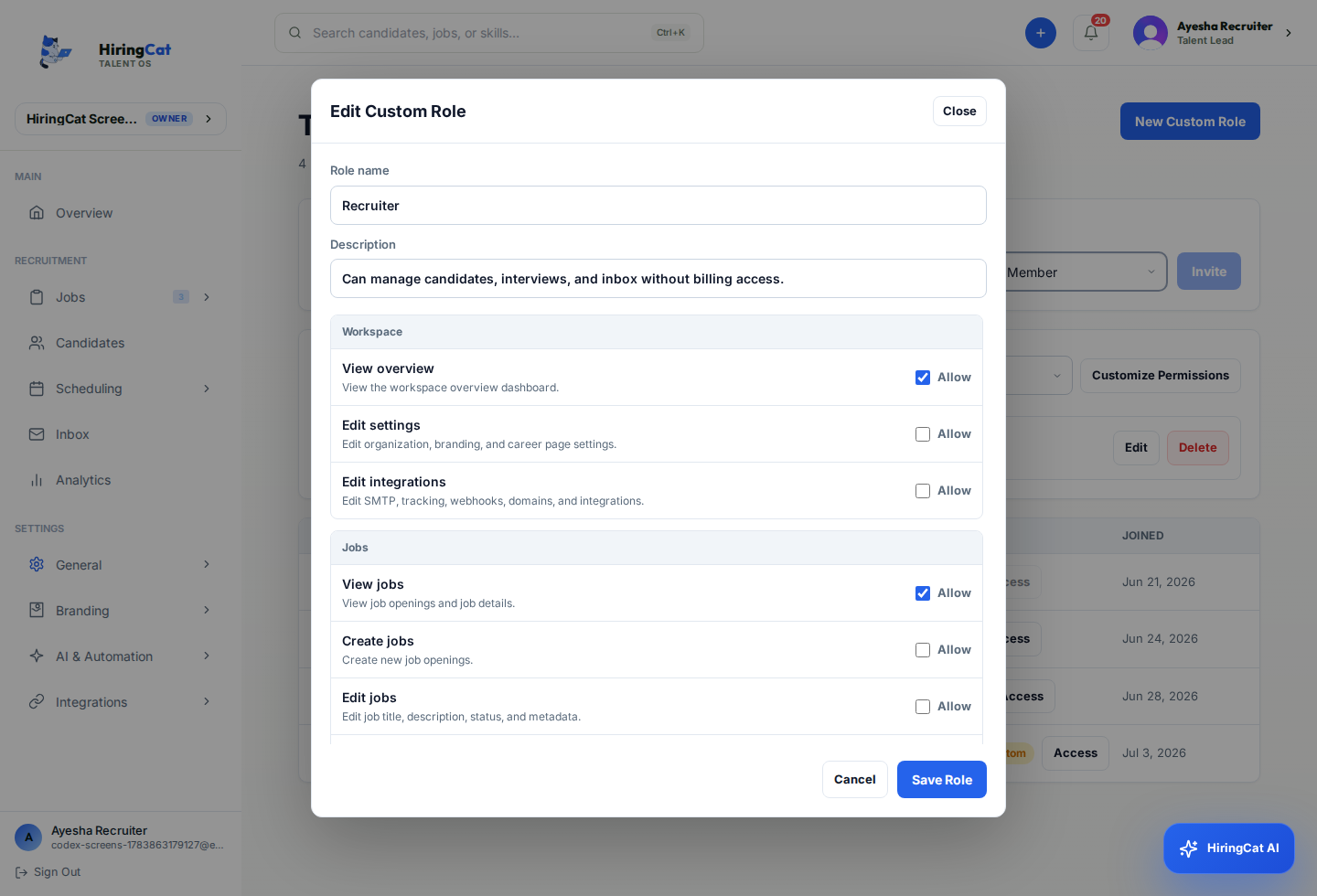
As more people join the hiring workflow, owners need to control who can view, edit, schedule, and manage settings.
Give each teammate their own access instead of sharing owner credentials.

Stage moves, notes, reviews, emails, and scheduling should respect permissions.

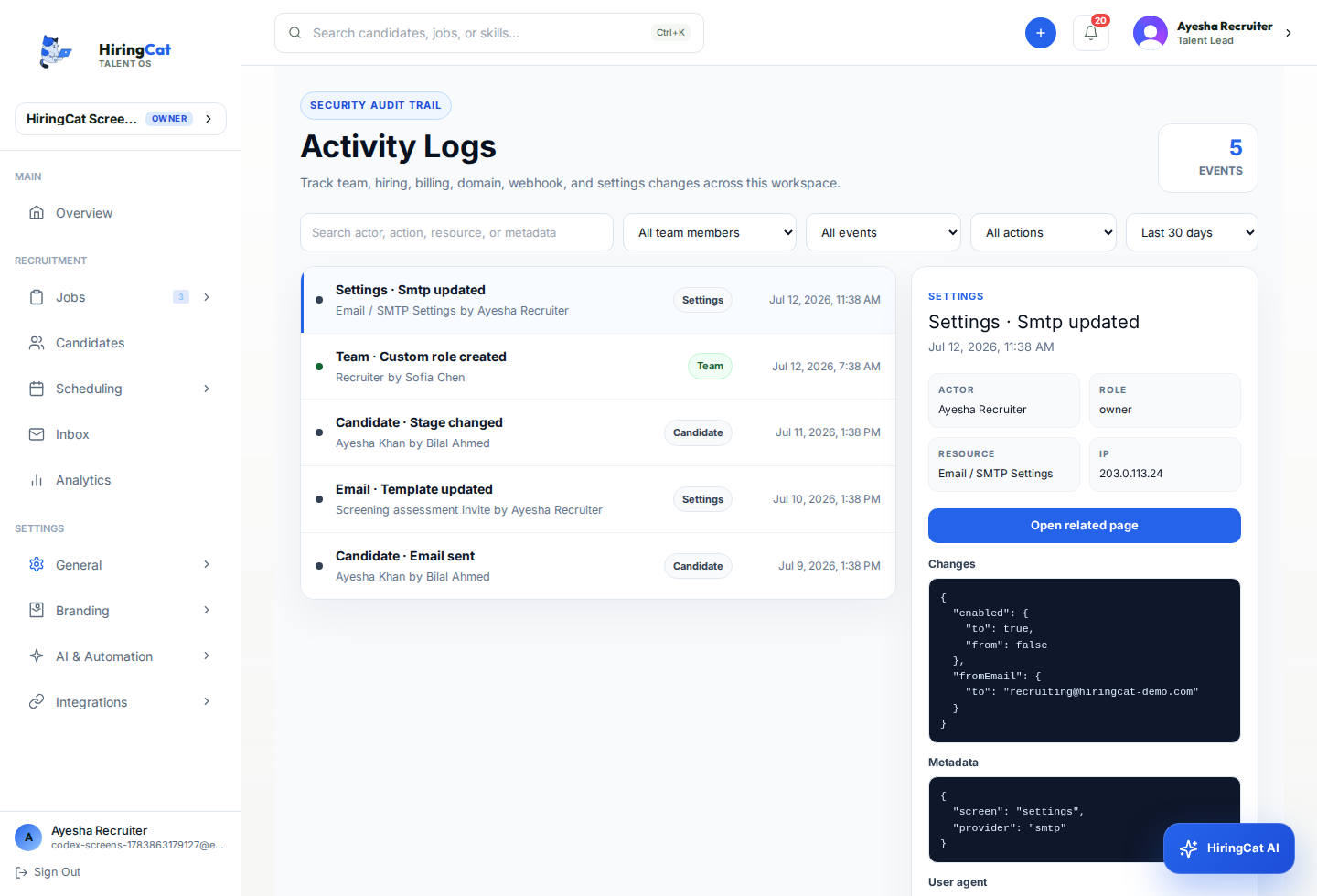
Owners need logs showing who changed jobs, candidates, settings, and team access.
HiringCat separates job, candidate, team, and settings access so roles can be practical.
Add recruiters, hiring managers, or reviewers to the workspace.
Control access for jobs, candidates, scheduling, settings, billing, and activity logs.
Use activity logs to filter by team member, event/page, and action type.
Permissions should make collaboration safer without blocking legitimate hiring work.
Control what each team member can view or change.
Notes, reviews, stage moves, scheduling, assignment, and email actions use candidate permissions.
Filter logs by team member, event/page, and action to audit important changes.
HiringCat keeps member access tied to real workflow behavior so permission updates take effect in the app.
Job creation, job editing, job deletion, and job configuration are controlled separately.
Member UI refreshes permissions after changes, focus, visibility, and polling.
Team invites, access updates, role changes, and member removal are tracked in activity logs.
Team permissions affect jobs, candidate workflows, custom domains, and activity logs.
Owners and admins can use activity logs to review important workspace actions.
Yes. Candidate notes, reviews, scheduling, assignment, email, and stage movement use candidate permissions.
Yes. Job and settings permissions are separate.
Use HiringCat team permissions and activity logs to keep hiring work controlled.