
Inconsistent updates
Use templates so candidates receive clear, professional messages at each stage.
HiringCat email templates help teams keep candidate communication consistent across screening, interview scheduling, status updates, and follow-ups.
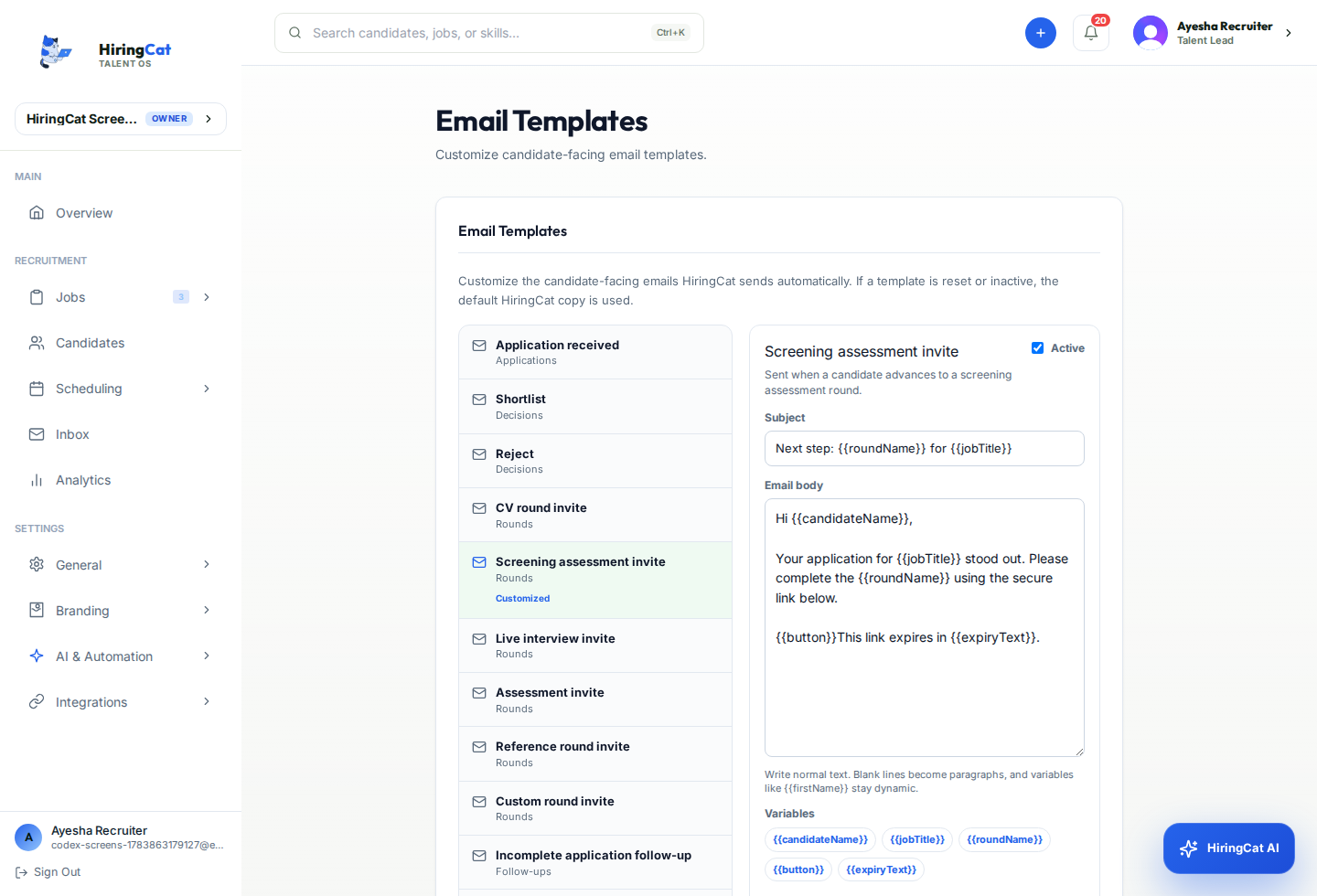
Templates and SMTP help teams keep tone, sender identity, and hiring updates consistent.
Use templates so candidates receive clear, professional messages at each stage.

SMTP settings help teams send from the right domain or mailbox.

Emails work best when tied to candidate stages and workflow actions.
Candidate updates should follow the workflow instead of living in separate inbox drafts.
Prepare messages for screening, interview scheduling, status updates, and follow-ups.
Use SMTP and workspace branding so emails match your company identity.
Use templates from the hiring workflow and keep communication tied to candidates.
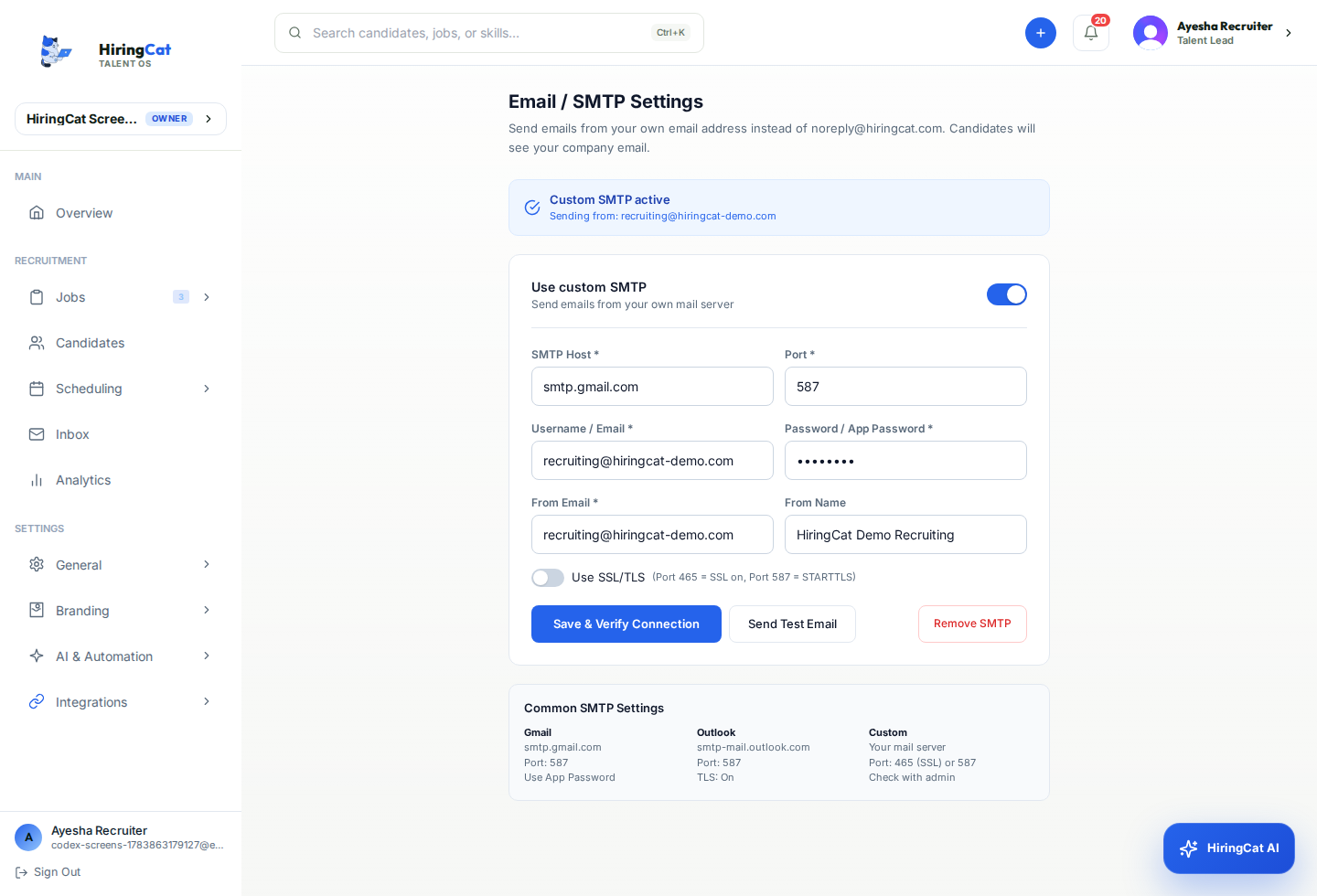
Keep communication repeatable without losing the human context of each candidate.
Create consistent copy for the most common candidate updates.
Control sender configuration for branded outbound communication.

Use templates with workflow actions and automation rules where appropriate.
HiringCat keeps application, screening, and email touchpoints aligned with your brand.
Pair templates with custom domains and careers page branding.
Reduce one-off messages that confuse candidates or miss key details.
Use permissions so only the right teammates can change templates and sender configuration.
Email templates become more useful when connected to stages, scheduling, and custom domains.
SMTP settings help teams send branded candidate emails through their configured sender.
Yes. Teams can create templates for screening, interview, follow-up, and status updates.
No. Team permissions can restrict who changes email and workspace settings.
Use HiringCat templates and SMTP settings to keep hiring emails branded and organized.