
Many active roles
Keep separate pipelines for each search while using a repeatable recruiting workflow.
HiringCat gives agencies one workflow for intake, AI CV screening, shortlists, interview scheduling, and activity logs across many roles and recruiters.
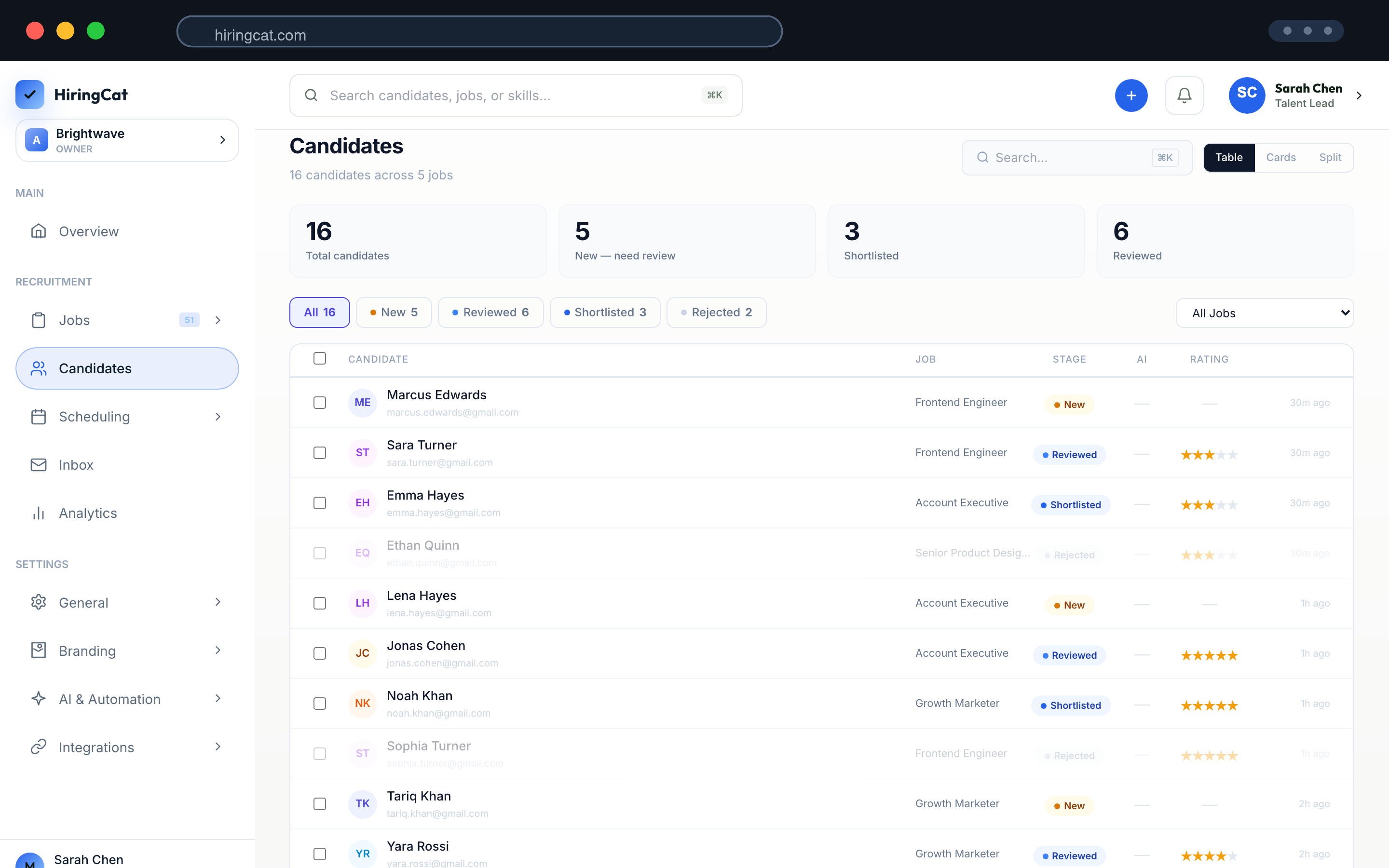
Recruiters need to move quickly across roles while keeping client requirements, candidate context, and team actions visible.
Keep separate pipelines for each search while using a repeatable recruiting workflow.

Use AI screening to rank candidates before recruiters spend hours reading every resume.

Use permissions and activity logs to see who changed access, stages, and candidate status.
Use the same operating system for every client search while configuring each role separately.
Add job criteria, screening questions, stages, and reviewer access for the client search.
HiringCat screens CVs and highlights strengths, gaps, and shortlist reasons.
Move candidates through review, interviews, and decision stages with all context attached.
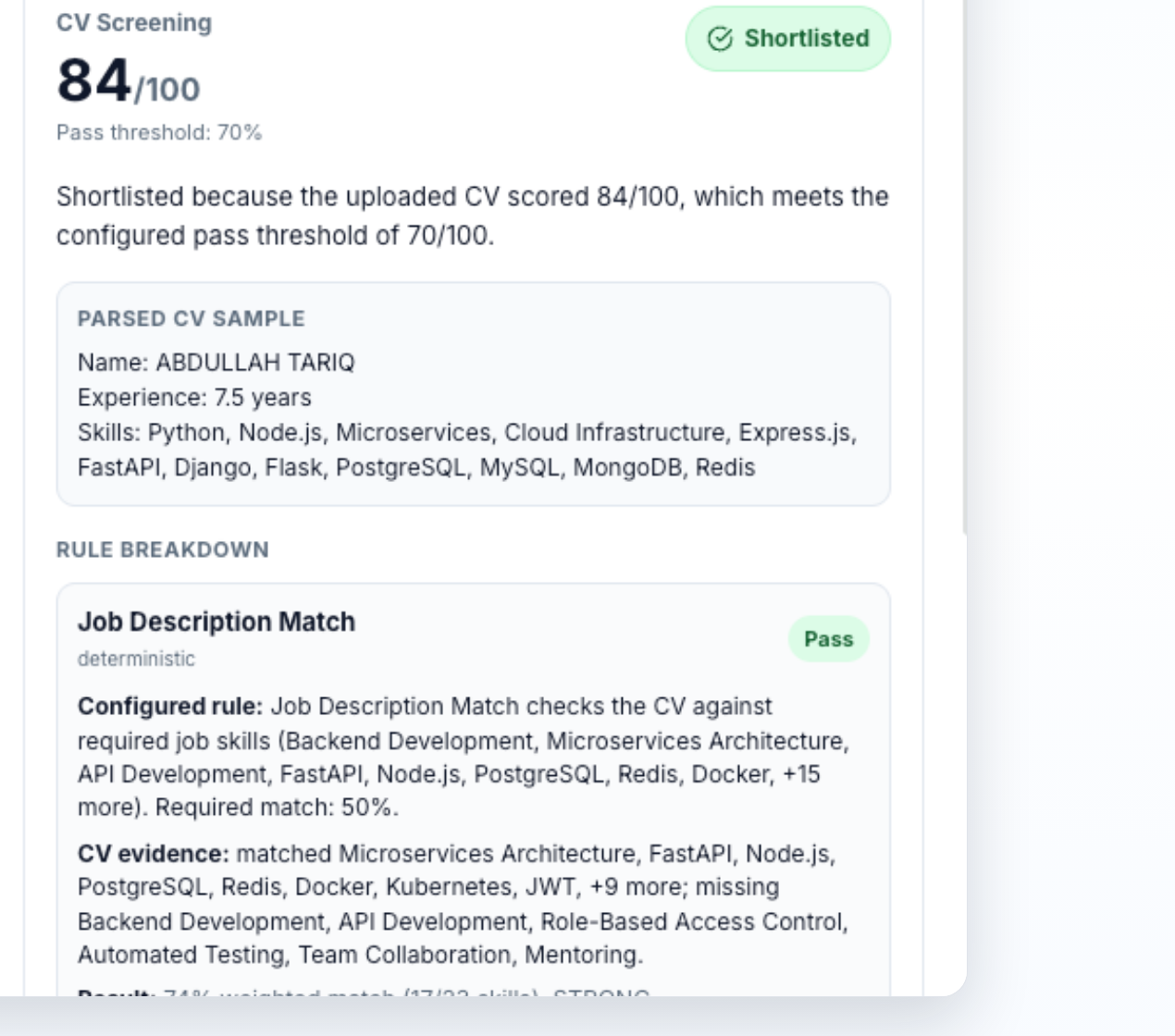
HiringCat combines screening, pipelines, permissions, and branded workflows for agency teams.
Score every CV against role criteria and move the strongest candidates into review stages faster.
Track applicants, notes, interviews, and decisions without spreadsheet handoff between recruiters.
Give recruiters the right permissions and use activity logs to review workspace changes.
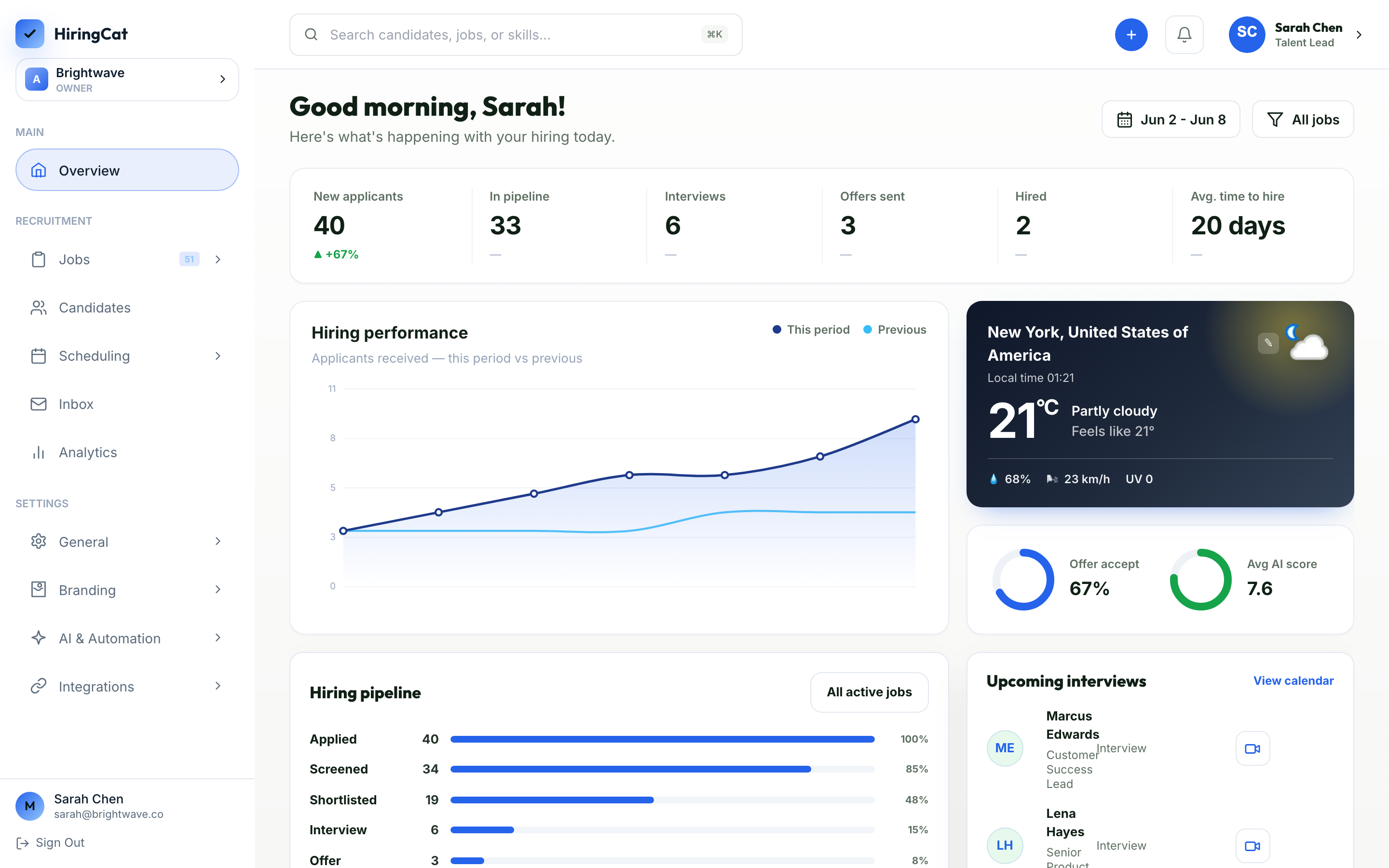
Agency teams need speed, but they also need a record of what happened with each candidate.
See open jobs, applicants, and review status from one workspace.
Keep candidate notes, CV screening, and stage movement tied to the profile.
Use role-based access to separate recruiter work from admin settings.
Staffing workflows depend on screening, pipeline management, scheduling, and permissions.
Yes. HiringCat is built around separate jobs, candidate pipelines, reviewer assignments, and analytics.
Yes. Team permissions let owners control who can create jobs, edit stages, review candidates, or change settings.
Yes. Custom domains, careers pages, email templates, and SMTP help keep the applicant experience branded.
Start with one role, then use the same workflow across your agency pipeline.