
AI CV screening
Score resumes and candidate answers against the requirements of each job.
HiringCat brings CV screening, assessments, interviews, team access, analytics, automation, and branded candidate pages into one workflow built for small teams and agencies.
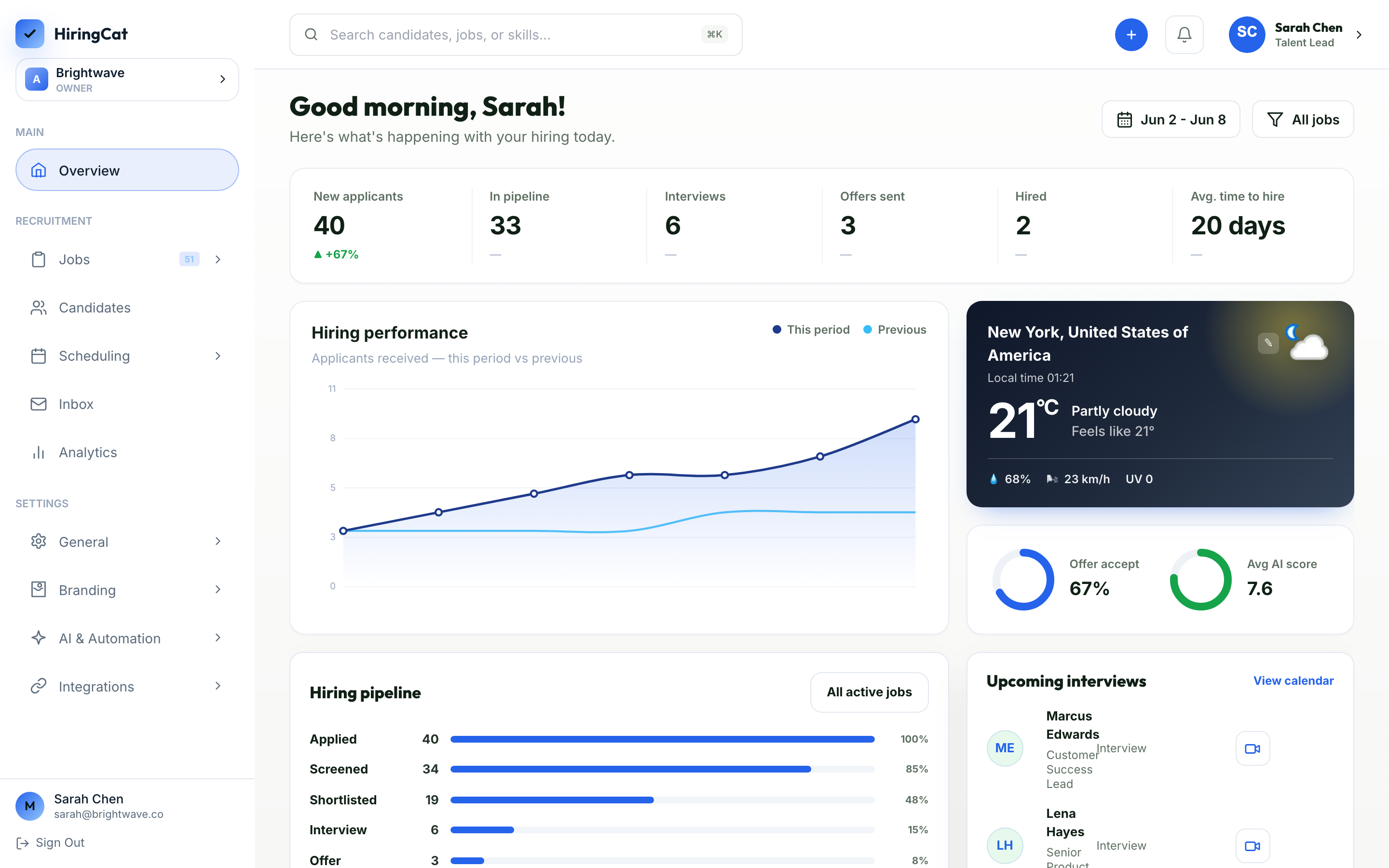
Start with a role, collect applicants, screen them consistently, and move the right candidates forward.
Score resumes and candidate answers against the requirements of each job.

Collect structured answers before interview time and keep them attached to the candidate.

Track stage, reviewer, notes, files, decisions, and communication history.

Coordinate interviews while keeping context inside the hiring record.

See sources, stages, screening outcomes, and hiring workflow performance.

Control who can view, edit, schedule, message, and manage sensitive hiring data.
The product is organized around the sequence recruiters already follow, without spreading data across tools.
Set role details, screening questions, stages, criteria, and candidate-facing settings.
Use AI screening, assessments, notes, and reviewer context to prioritize the right people.
Schedule, email, assign reviewers, and track outcomes from the same candidate record.
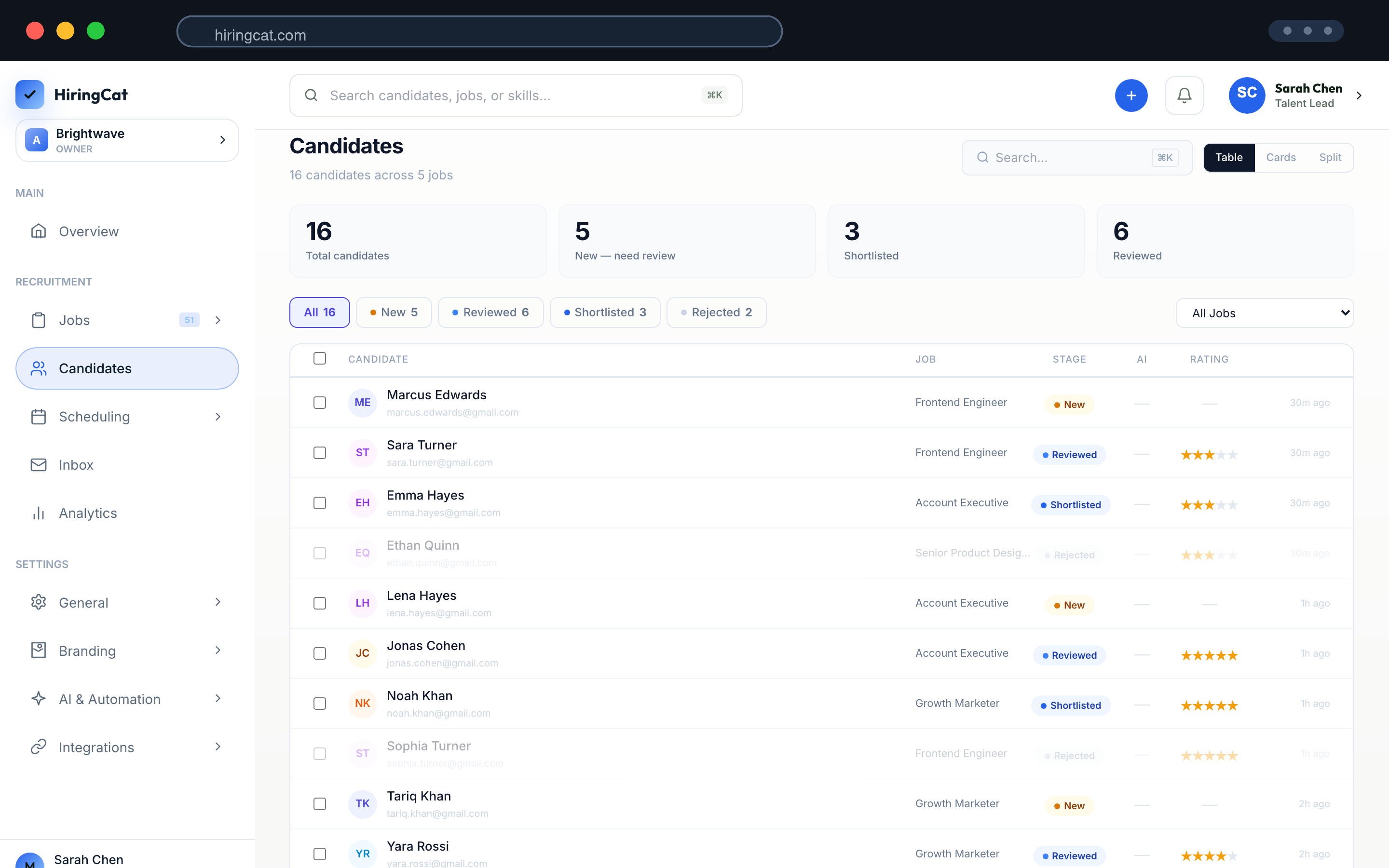
Hiring teams need speed, but they also need clean permissions, branded pages, and audit visibility.

Use a branded domain and candidate-facing pages instead of a generic application link.

Trigger follow-ups and actions from screening results, stages, and workflow events.

Send branded candidate emails through configured templates and sender settings.
Review workspace activity by team member, page/event, and action type.
Connect ads and analytics signals to applicant flow and hiring outcomes.

Connect HiringCat activity to the tools your operations team already uses.
The marketing pages use actual HiringCat dashboard screenshots so buyers can inspect what the product does.
Create the role, configure screening, and prepare candidate-facing details.
Open candidate records with scores, notes, status, and next actions.
Manage domains, integrations, email branding, permissions, and billing.
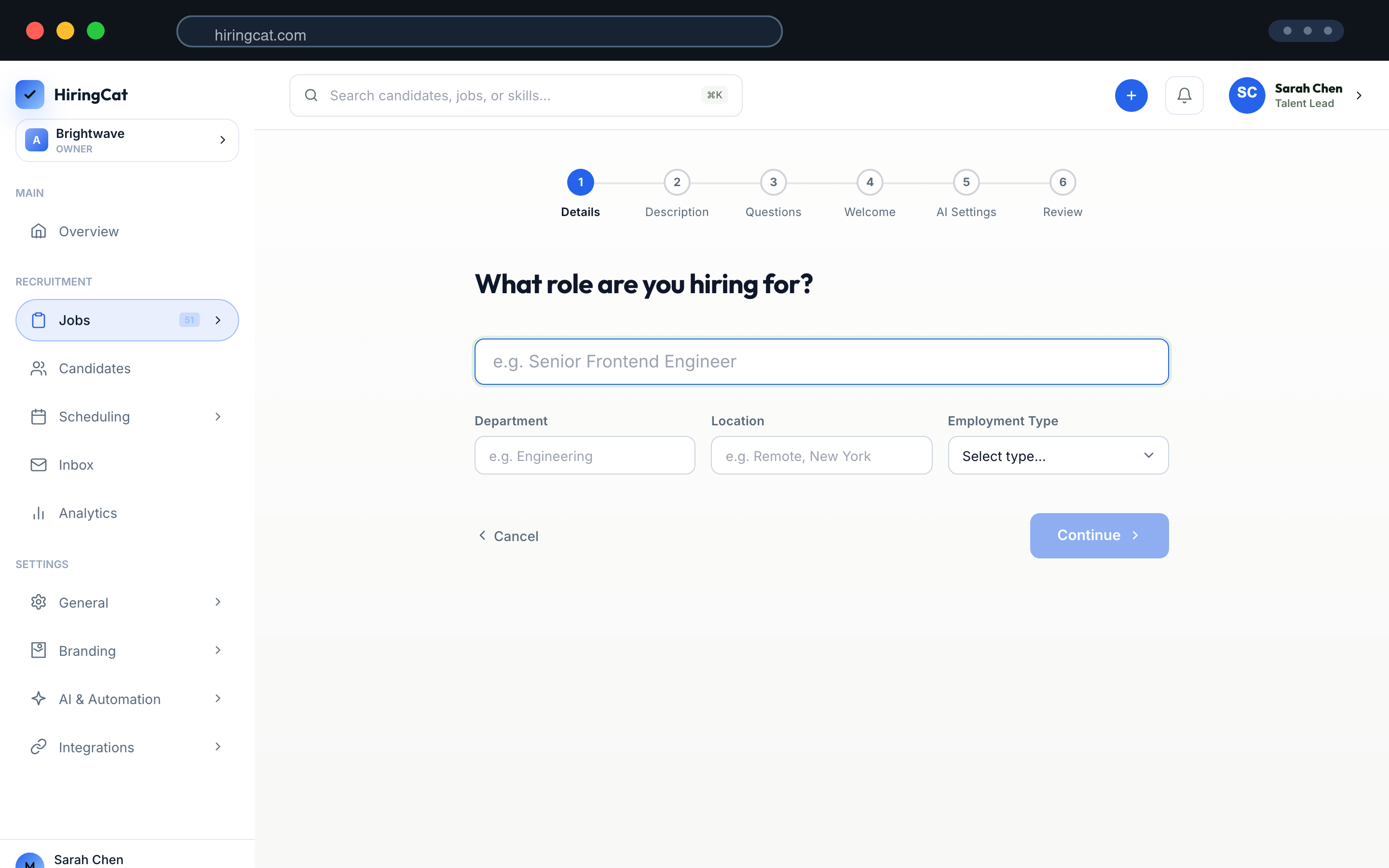
Each page explains a real part of the HiringCat workflow in more detail.
No. AI CV screening is one part of the workflow. HiringCat also includes pipeline tracking, assessments, scheduling, analytics, team permissions, activity logs, domains, and email tools.
Yes. The product is designed for smaller teams, agencies, and operators that need structure without weeks of implementation.
Yes. The pages use real HiringCat dashboard screenshots from the current product assets.
Start a free trial or choose the Pro monthly plan to test the product with a real role and candidate pipeline.